
SourceTraq
Track every source. Know every change.
Dive into data-driven insights with SourceTraq, an innovative app designed to elevate your understanding of commits and pull requests. Seamlessly integrated with repositories such as BitBucket Cloud & Data Center, GitHub Cloud, and GitLab Cloud, SourceTraq serves as your ultimate companion for repository metrics analysis.
What SourceTraq can do
Multi-Repository Support
Seamlessly integrate with BitBucket Cloud, BitBucket Data Center, GitHub Cloud, and GitLab Cloud to analyze metrics across all your repositories.
PR Aging Analysis
Track open pull requests by age with color-coded charts highlighting stale PRs. View average age, max age, approval lag, and activity lag per PR.
Review Analytics
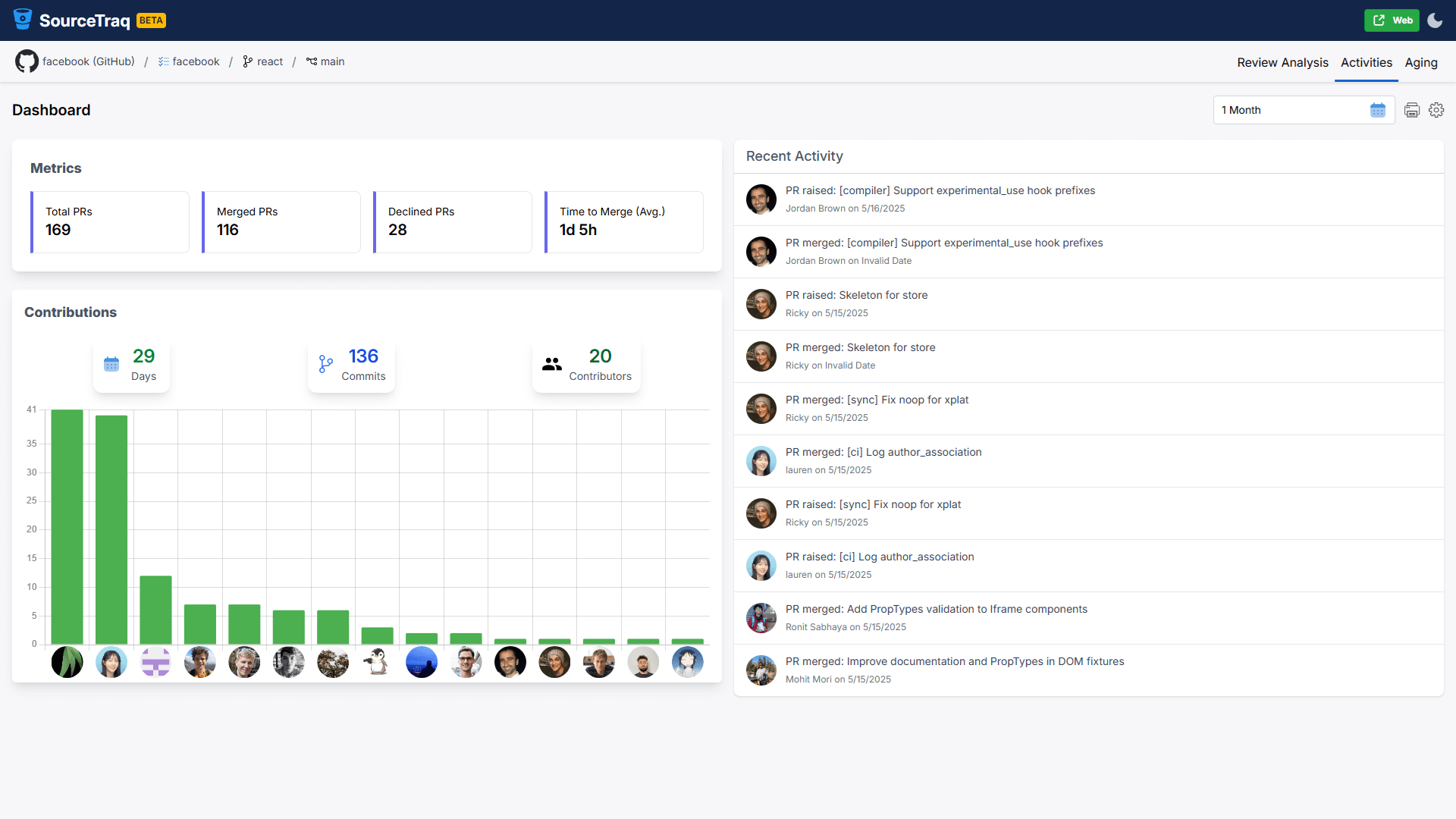
Evaluate reviewer performance, cycle times, and contribution trends. Identify top reviewers and monitor PR creation, merge, and decline rates per author.
Commit Metrics
Monitor commit activity per contributor across repositories and branches. Track team performance and individual contributions over any date range.
Flexible Deployment
Available as a browser extension, web app, cloud marketplace app, or self-hosted Docker container — deploy however suits your organization.
Interactive Charts & Drill-Down
Explore data through interactive charts and tables. Click any chart item or PR row to drill down into detailed per-PR metrics and reviewer contributions.
See it in action
Frequently asked questions
Is SourceTraq free?
Yes, SourceTraq is completely free — no licensing fees and no premium version. It is maintained by a small team of independent developers and community contributions are welcomed.
Which repositories does SourceTraq support?
SourceTraq supports BitBucket Cloud, BitBucket Data Center, GitHub Cloud, and GitLab Cloud. Additional integrations are in the pipeline.
How can I install SourceTraq?
SourceTraq is available as a browser extension (Chrome, Edge, Firefox, Opera), a web app hosted on GitHub Pages, a cloud marketplace app, and a self-hosted Docker container for full infrastructure control.
Where is my data stored?
All data is stored exclusively in your local browser storage. Nothing is transmitted outside your browser. Credentials (if used) are stored encoded in the browser cache.
I'm seeing API rate limit errors on GitHub. What should I do?
This can happen when using public authentication for PR data on GitHub. Switching to credential-based authentication resolves this issue.
Privacy Policy
The full Privacy Policy for SourceTraq is available at sourcetraq.com. SourceTraq is committed to user privacy and handles all data responsibly.
License Agreement
The full License Agreement for SourceTraq is available at sourcetraq.com.