
Batch matrix: sizes × formats
Pick any images or folders, define multiple sizes and multiple formats, and every image is rendered for every size × every format in one run.
Minimage is a fast, tiny desktop studio that resizes, converts, optimizes, annotates and compares images in bulk — building a full matrix of sizes × formats from any files or folders. Native Rust speed, ~8 MB, and everything stays on your machine.
Choose your sizes once and your formats once. Minimage renders every image for every size × every format — a complete matrix of outputs from a single run.
3 sizes × 3 formats = 9 outputs per image, automatically. Add a target file-size budget and Minimage auto-tunes quality so each one lands under your limit.
A focused set of tools that cover the whole job — from intake to a clean, optimized export.
Pick any images or folders, define multiple sizes and multiple formats, and every image is rendered for every size × every format in one run.
WebP, AVIF, JPEG, PNG, GIF, TIFF, BMP and ICO — each with its own quality, lossless toggle, PNG optimization level, and AVIF/WebP effort.
Set a KB budget per format and Minimage auto-tunes quality per image so each output lands at or under your limit.
Fit, Cover (center-crop), Pad, Stretch, single-dimension keep-aspect, or scale %. Optional upscaling. SVGs are rasterized crisply at every size.
Crop, rotate, flip, blur, draw and annotate before export. Apply batch-wide color adjustments, transparency flattening, and text or logo watermarks.
Outputs are re-encoded from raw pixels, so camera EXIF, GPS coordinates, and color profiles are always removed — smaller files, no location leaks.
Save a whole setup and reload it in one click. Name files with tokens like {name}_{width}x{height}.{ext}, using / to create sub-folders.
Built with Rust + Tauri, so the installer is ~8 MB instead of 80 MB+. All work happens on your machine — no cloud, no uploads, no account.
A clean dark/light UI that stays out of your way. Add sources, dial in your settings, and watch the results land.
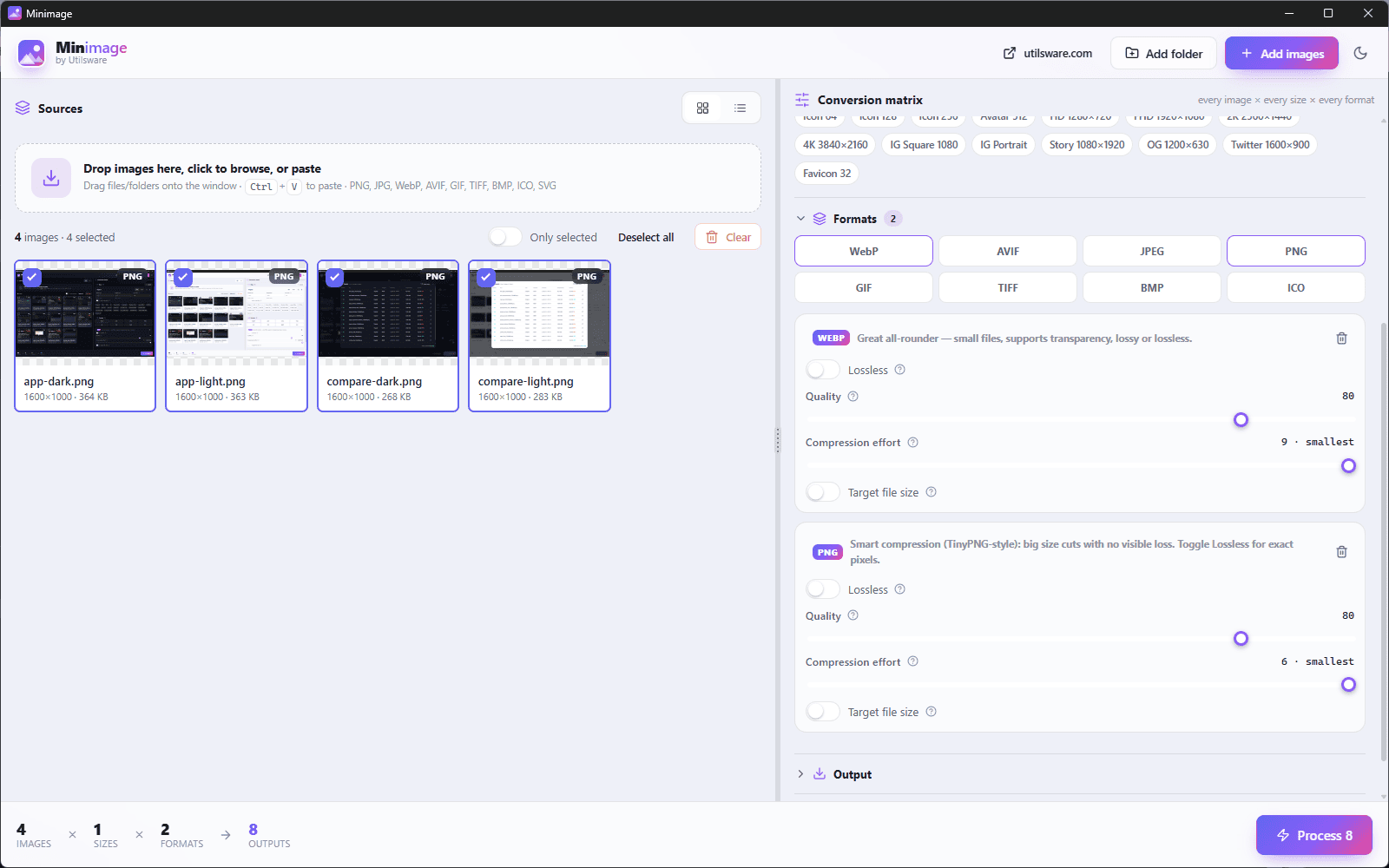
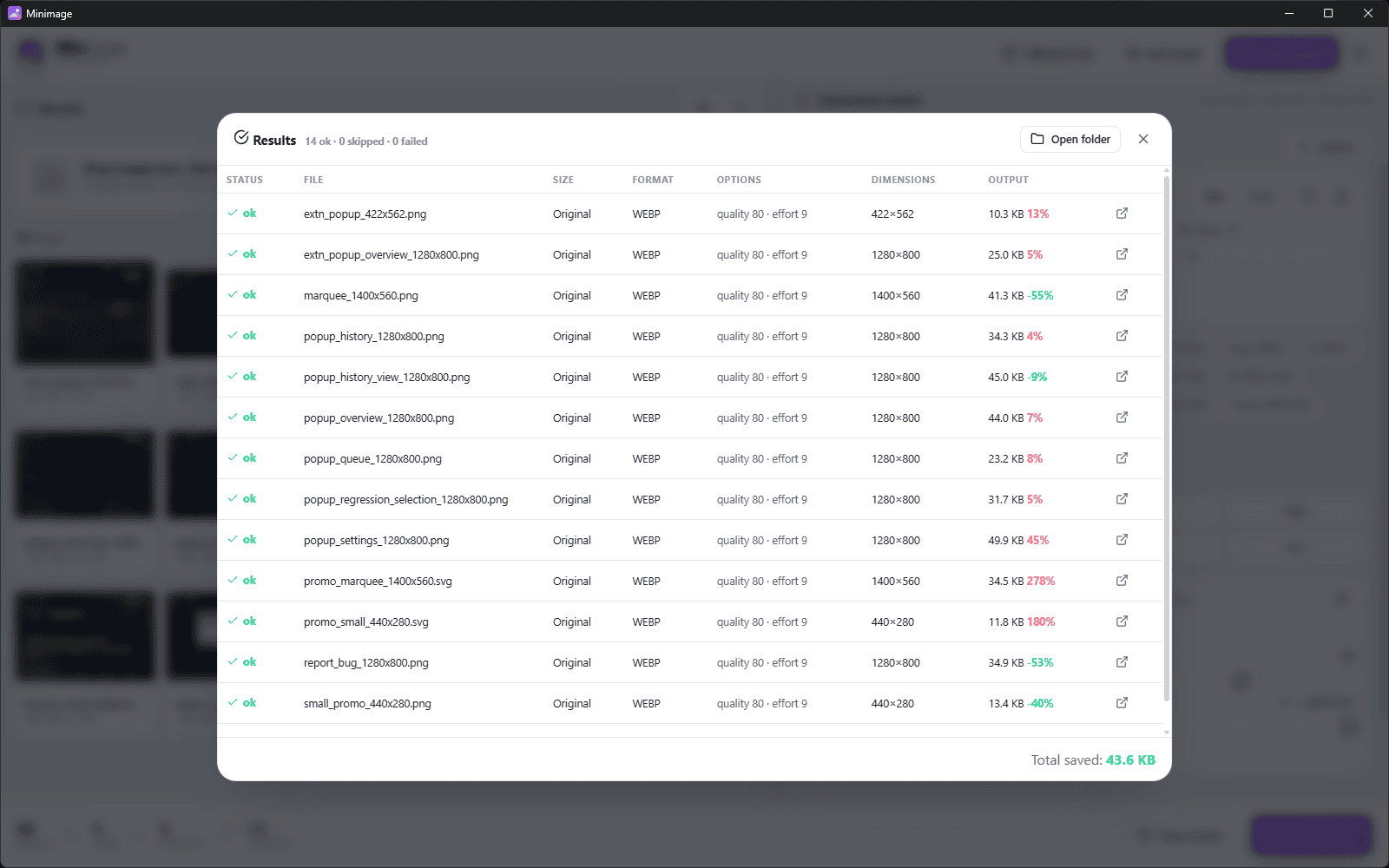
Minimage is a local-first desktop app. There's nowhere for your photos to go but the output folder you choose.
Every operation happens locally in native Rust. No cloud, no uploads, no account — your images never leave your machine.
Outputs are re-encoded from raw pixels, so EXIF, GPS coordinates and color profiles are removed automatically. Smaller files, no location leaks.
Built on Rust + Tauri instead of Electron, the installer is ~8–12 MB — no bundled browser, no Node runtime, no node_modules in the output.
Minimage collects no analytics and makes no network requests to do its work. What you process is your business alone.
Minimage is a batch image studio. You select images or whole folders, define one or more target sizes and one or more output formats, and it produces every combination at once — resizing, converting, optimizing, and optionally annotating or watermarking along the way.
Yes. Minimage is completely free and open source under the MIT license, for both personal and commercial use.
No. Minimage is a desktop app that processes everything locally on your own machine. Your images never leave your computer, there is no account, and it works fully offline.
Windows, macOS, and Linux. Grab the installer for your OS from the GitHub Releases page — .exe/.msi for Windows, .dmg for macOS, and .AppImage/.deb/.rpm for Linux.
WebP, AVIF, JPEG, PNG, GIF, TIFF, BMP, and ICO. Each format has its own quality, lossless toggle, optimization level, and effort settings. You can also set a target file size in KB and Minimage will auto-tune quality to hit it.
Yes. Outputs are re-encoded from raw pixels, so EXIF, GPS coordinates, and color profiles are stripped automatically. That means smaller files and no accidental location leaks when you share images.
Download Minimage for Windows, macOS or Linux. It's open source, ~8 MB, and runs entirely on your machine.